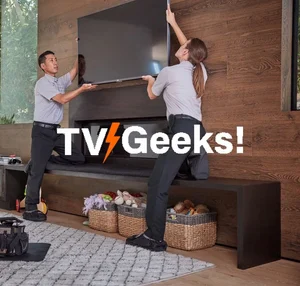
Mounting a TV seems simple at first glance — find a wall, grab a bracket, and you’re done. But the truth is, proper TV placement can make or break your viewing experience. From neck comfort to glare control to room layout, the right setup transforms your space and protects your investment.
Whether you're mounting a TV in a living room, bedroom, office, or commercial space, here’s everything you should think through before drilling that first hole.
1. Determine the Ideal Viewing Height
The most common mistake people make is mounting the TV too high. A good rule of thumb is:
Center of the screen at eye level when seated
For most homes, this means:
42–48 inches from the floor to the center of the TV
Mounting too high forces viewers to tilt their heads upward, which leads to neck strain over time. If you’re mounting above a fireplace, consider a tilting mount to angle the screen downward.
2. Measure the Optimal Viewing Distance
The size of your TV should match the distance from your seating area. Sitting too close can feel overwhelming, while sitting too far makes details harder to see.
A simple formula:
Viewing distance ≈ 1.5 × the TV’s diagonal size
Examples:
55" TV → 6.5 to 8 feet away
65" TV → 8 to 10 feet away
This ensures a comfortable, immersive experience without eye strain.
3. Consider Wall Strength and Mount Type
Not all walls are created equal. Before mounting:
Identify whether the wall is drywall, plaster, brick, or concrete
Locate studs for secure installation
Choose a mount that fits your needs:
Fixed mount for a clean, low‑profile look
Tilt mount to reduce glare or accommodate higher placement
Full‑motion mount for swivel and extension flexibility
If your TV is large (65"+), a full‑motion mount can help you adjust the angle for different seating positions.
4. Plan for Power and Cable Management
A clean setup requires thoughtful planning.
Ask yourself:
Is there a power outlet behind or near the TV?
Will cables be visible?
Do you want in‑wall cable routing?
Options include:
In‑wall power kits for a seamless look
Cord covers for a budget‑friendly solution
Media shelves for devices like cable boxes or gaming consoles
A tidy setup elevates the entire room.
5. Account for Natural and Artificial Light
Glare is one of the biggest enemies of a mounted TV.
Consider:
Window placement
Overhead lighting
Lamps and reflective surfaces
If glare is unavoidable, a tilting or full‑motion mount helps angle the screen away from bright light sources.
6. Think About Room Layout and Traffic Flow
Your TV should complement the room, not fight it.
Ask:
Where do people naturally sit?
Will anyone walk in front of the screen?
Does the TV need to be visible from multiple angles?
In open‑concept spaces, a swivel mount can help you rotate the TV toward different seating areas.
7. Don’t Forget Safety
Especially important if you have kids or pets.
A properly mounted TV:
Prevents tipping hazards
Keeps cords out of reach
Reduces the risk of accidental damage
Always use the correct hardware and ensure the mount is rated for your TV’s weight.
8. Consider Future Upgrades
Think ahead before mounting.
Will you:
Upgrade to a larger TV later?
Add a soundbar?
Install LED backlighting?
Choosing a mount that supports larger sizes or includes a soundbar bracket can save you time and money down the road.
Final Thoughts
Mounting your TV is more than a quick DIY project — it’s an investment in comfort, safety, and the overall look of your space. By considering height, distance, lighting, wall type, and cable management, you’ll create a setup that looks great and feels even better to use.